Settings Overview
The Action Plan settings allow you to customize the module to fit the organization's needs. Through them, you can define access profiles, monitored indicators, plan source origins, action types, and the measurement units and dimensions used.
How to access the settings
To access the module settings, click Settings in the side menu.
The access route is /s/:spaceId/action-plan-config.
The module settings are shared by all users in the workspace. Changes made here affect all collaborators who use the Action Plan.
To access the settings, the Manage settings permission is required. See Profiles to learn how to assign this permission.
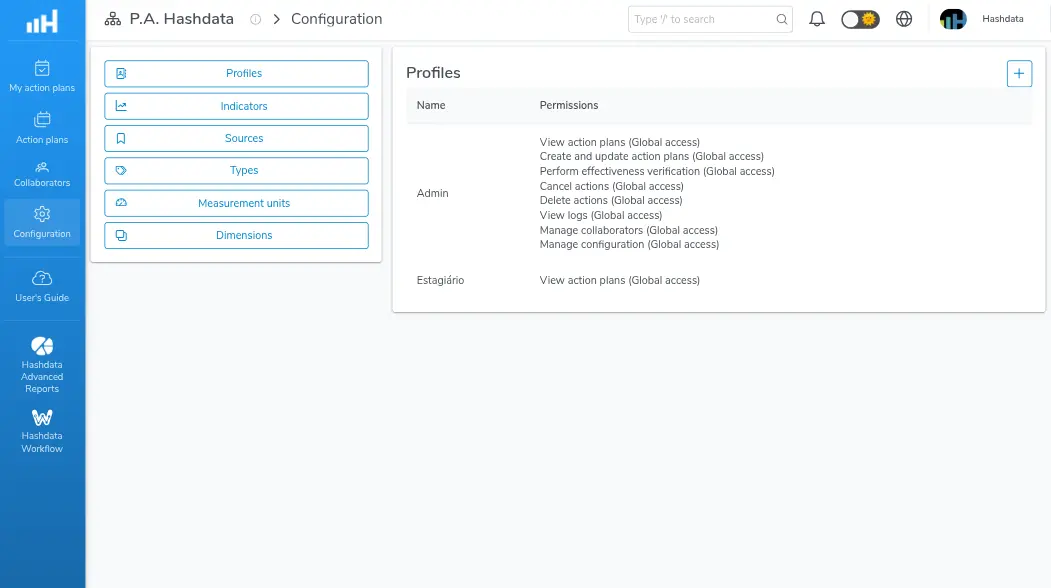
Overview of the Action Plan configuration settings
Settings sections
The settings are organized into the following sections:
| Section | Description | Link |
|---|---|---|
| Profiles | Define the access privileges of each user group | Profiles |
| Indicators | Indicators monitored by the Action Plan | Indicators |
| Sources | Source origins that can generate an action plan | Sources |
| Types | Classifications for actions | Types |
| Measurement units | Measurement units for the indicators | Measurement units |
| Dimensions | Dimensions for grouping indicators | Dimensions |
Navigate to each section in the side menu to view the detailed configuration instructions.