Measurement Units
Measurement Units are used by Action Plan indicators to express values in a standardized way. By associating a Measurement Unit with an indicator, the system knows how to display the target, actual, and technical impact values of the actions.
Measurement Unit fields
| Field | Description |
|---|---|
| Name | Name of the unit. E.g.: %, kg/ton, R$/ton, ppm |
| Prefix | If enabled, the unit value is displayed before the number. E.g.: R$ 1.500. If disabled, it is displayed after the number. E.g.: 85% |
The Prefix setting is especially important for monetary units, where the convention is to display the symbol before the value (R$ 1.500), and for technical units, where the symbol comes after the number (85%, 76 kg/ton).
Creating and managing Measurement Units
Measurement Units are managed in the module settings area. To access it, the Manage settings profile is required.
Accessing the settings:
- In the side menu, go to Action Plan Settings.
- Click the Measurement units tab.
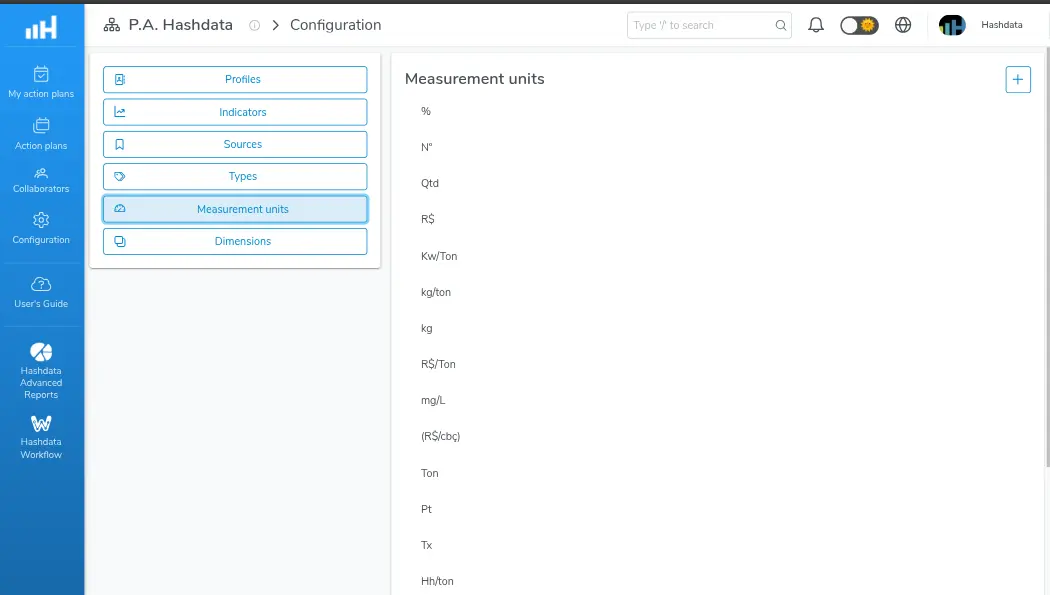
Measurement unit configuration for Action Plans
Creating a new Measurement Unit:
- Click the New measurement unit button.
- Fill in the Name field. E.g.:
kg/ton. - Configure the Prefix field:
- Enable it if the symbol should appear before the number (e.g.:
R$). - Leave it disabled if the symbol should appear after the number (e.g.:
%,kg/ton).
- Enable it if the symbol should appear before the number (e.g.:
- Click Save.
Editing an existing Measurement Unit:
- Find the unit in the list.
- Click the edit icon.
- Change the desired fields.
- Click Save.
Removing a Measurement Unit:
- Find the unit in the list.
- Click the delete icon.
- Confirm the removal.
Removing a Measurement Unit associated with active indicators may affect the correct display of values in existing plans. Check whether the unit is in use before deleting.
Configuration examples:
- R$ — Prefix enabled. Display:
R$ 1.500 - % — Prefix disabled. Display:
85% - kg/ton — Prefix disabled. Display:
76 kg/ton - ppm — Prefix disabled. Display:
120 ppm